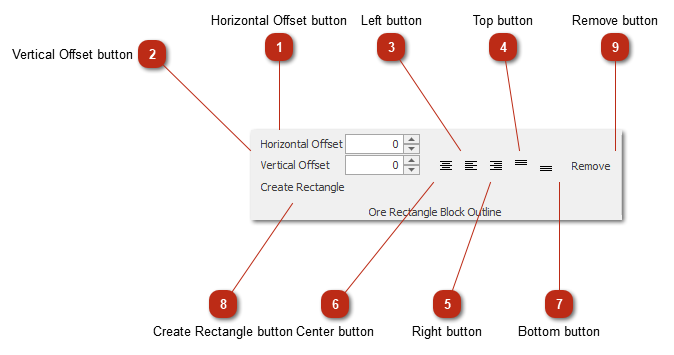
Ore Rectangle Block Outline toolbar
 Horizontal Offset buttonHorizontal offset of the tunnel shape's center to the ore outline.
|
|
 Vertical Offset buttonVertical offset of the tunnel shape's center to the ore outline.
|
|
 Left buttonAligns the tunnel shape to the left of the ore outline.
|
|
 Top buttonAligns the tunnel shape to the top of the ore outline.
|
|
 Right buttonAligns the tunnel shape to the right of the ore outline.
|
|
 Center buttonAligns the tunnel shape to the center of the ore outline.
|
|
 Bottom buttonAligns the tunnel shape to the bottom of the ore outline.
|
|
 Create Rectangle buttonCreates a rectangle ore outline.
|
|
 Remove buttonRemoves the ore outline.
|
|