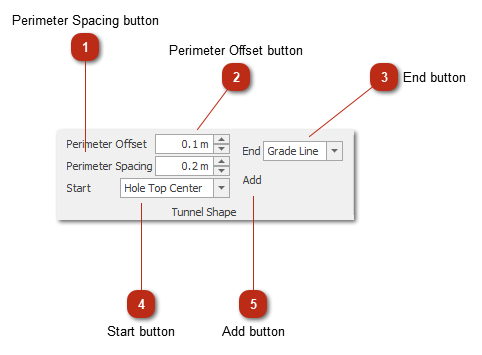
Perimeter Spacing buttonSets the inter hole spacing for the perimeter holes.
|
|
 Perimeter Offset buttonSets the offset from the side of the tunnel.
|
|
 End buttonSelect where the perimeter holes should end.
|
|
 Start buttonSelect where the perimeter holes should start.
|
|
 Add buttonAdds the perimeter holes to the design based on the input parameters.
|
|