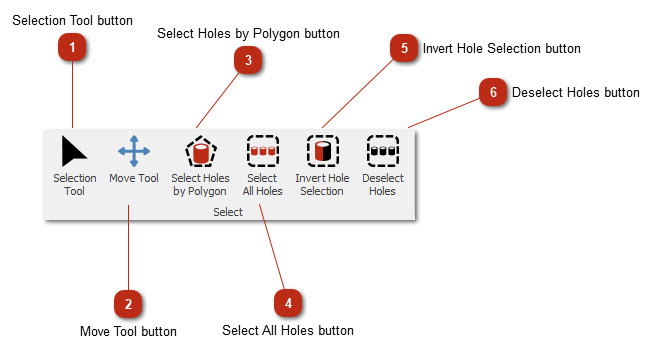
Selection Tool buttonSwitches to the default select mode.
|
|
 Move Tool buttonSwitches to move mode.
|
|
 Select Holes by Polygon buttonSelect the holes by left-clicking around a group of holes. By clicking you will add a point to the select polygon.
Once you are finished, double left-click on the canvas to stop and close the polygon. Every hole inside the polygon will then be selected.
|
|
 Select All Holes buttonSelects all the holes in the design.
|
|
 Invert Hole Selection buttonInverts the selection.
|
|
 Deselect Holes buttonDeselects all holes.
|
|