To properly display this page you need a browser with JavaScript support.
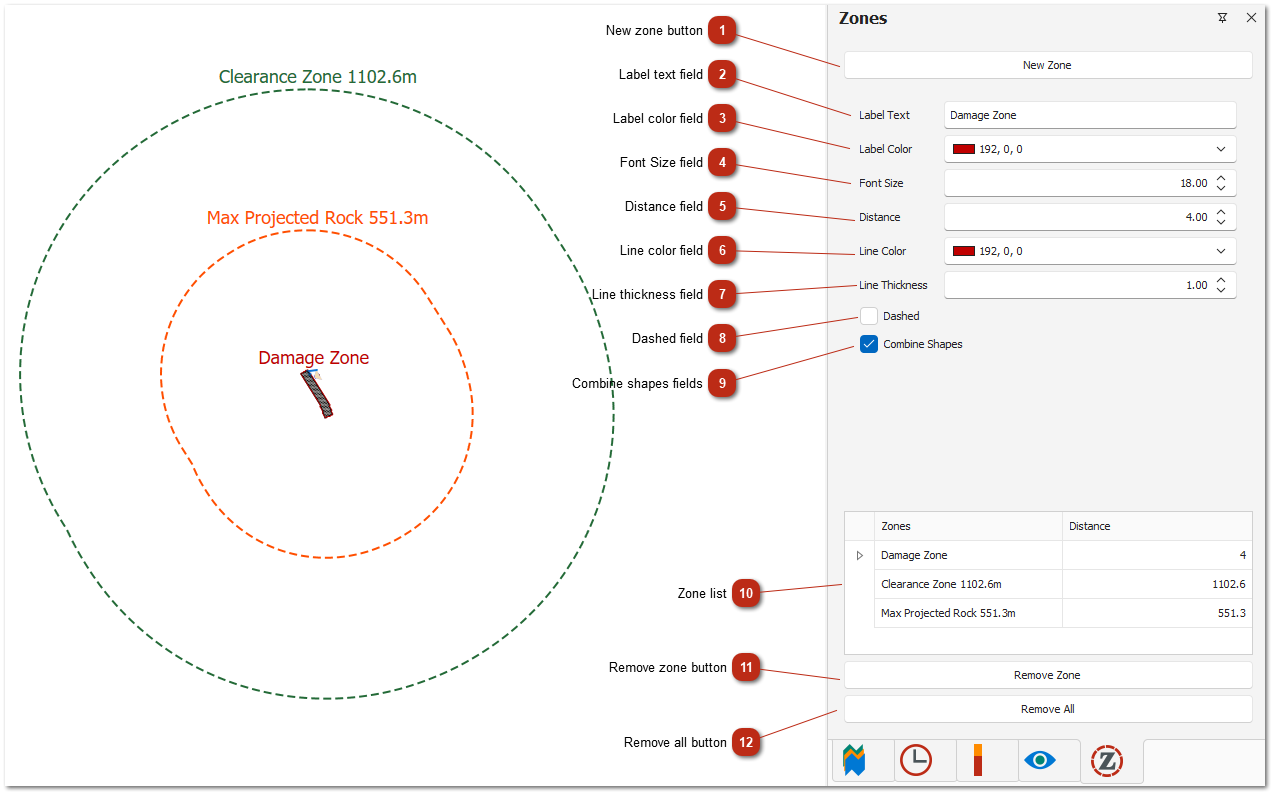
New zone button Creates and adds a new zone to the design.
Label text field This is the visible text displayed at the top of your created zone, helping users identify or describe the zone's purpose.
Label color field Sets the color of the label text that appears at the top of your created zone, allowing you to customize its visual appearance.
Font Size field Sets how large or small the label text appears at the top of your created zone, allowing for better visibility or emphasis.
Distance field Specifies how far, in meters, the zone is placed from the holes.
Line color field Sets the color of the outline used to draw the shape of the zone.
Line thickness field Adjusts the width of the line used to draw the zone’s shape.
Dashed field Toggles whether the zone’s outline is displayed as a solid or dashed line.
Combine shapes fields When enabled, this setting merges overlapping blast damage zone shapes into a single unified shape.
Note: This is only available for damage zones.
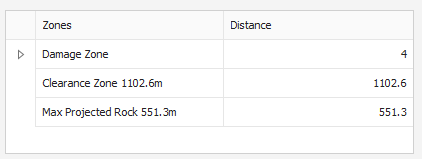
Zone list Displays all the zones currently created in the project. You can select a zone from the list to view / edit it.
Remove zone button Removes the selected zone.
Remove all button Removes all zones from your design.
The Zones feature allows users to create areas around the blast design. Each zone’s shape is based on the combined positions of the holes, and the zone is placed at a distance from the holes that the user specifies.